
Why Is My Instagram Story Blurry? 8 Fixes by Symptom (2026)
· 4 min read · Markdown
Instagram stories go blurry because Instagram recompresses the file on upload. The three most common causes: “Upload at highest quality” is off or a data saver is on, the file isn’t 1080×1920, or the photo was shrunk by WhatsApp or a screenshot. If text looks sharp but the photo is soft, the problem isn’t Instagram but the source photo: use the original from your phone.
Diagnose by symptom
Look at what you see first; the symptom usually tells you the cause.
| What do you see? | Most likely cause | Try first |
|---|---|---|
| Everything is blurry: text, photo, stickers | High quality off, data saver on or weak connection | Fixes 1, 2 and 6 |
| Text and stickers are sharp, only the photo is soft | Small source photo (WhatsApp, screenshot, downloaded image) | Fix 3 |
| Photo looks stretched or the edges are cut off | File isn’t 9:16 | Fix 4 |
| Only stories with music are blurry | The story becomes a video and is compressed harder | Fixes 4 and 5 |
| A design made in another app is blurry | Low export resolution | Fix 5 |
| Old highlights are blurry | The copy from posting time is used | Post again |
Why small photos get blurry: the upscaling math
A story is 1080 pixels wide and 1920 pixels tall. To fill the screen, the photo is scaled to that size. The scale factor is:
scale = the larger of (1080 ÷ width, 1920 ÷ height)
| Source | Size (pixels) | Scale for full screen |
|---|---|---|
| Original from a phone camera | e.g. 3024×4032 | scaled down, no loss |
| WhatsApp standard quality, portrait photo | 1052×1600 | 1.2× |
| WhatsApp standard quality, landscape photo | 1600×1052 | 1.8× (and both sides cropped) |
| Small downloaded image | 720×1280 | 1.5× |
| Very small image | 540×960 | 2× (clearly blurry) |
WhatsApp shrinks the long side of a photo to 1600 pixels in standard quality; the HD option sends up to 4096 pixels. Around 1× is invisible. From 1.5× the softness shows, and Instagram’s compression comes on top.
In framed templates the photo covers only part of the screen, so it is scaled up less. Polaroid, film-strip or collage layouts carry small photos far better than full-screen.
1. Turn on “Upload at highest quality”
In Instagram: Profile → ☰ menu → Settings and privacy → Data usage and media quality → Upload at highest quality. The setting is off by default; while it is off, Instagram may lower upload quality to suit your connection. The menu name can differ slightly between app versions.
2. Turn off the data saver
- In Instagram: turn off “Use less mobile data” in the same menu.
- On iPhone: Settings → Mobile Data (Cellular) → Mobile Data Options → Low Data Mode off. On Wi-Fi, tap (i) next to the network and turn Low Data Mode off too.
- On Android: Settings → Network & internet → Data Saver off (the menu name varies by brand).
3. Use the original photo
Make the story from the original on the phone that took the photo – not a copy from WhatsApp, a photo saved from Instagram or a screenshot. If a friend is sending you the photo, ask them to use WhatsApp’s HD option or send it as a document; a photo sent as a document isn’t shrunk at all.
4. Bring the file to 1080×1920
Instagram crops or scales anything that isn’t 9:16. You can resize a photo to story size in your browser without uploading it. For the numbers and safe zones: Instagram story size.
5. Check the export settings in your design app
If you made the story in another app, export at 1080×1920 or larger and skip “small file” or “low quality” options. Allapulla always exports templates at 1080×1920, no settings needed.
6. Switch to Wi-Fi or wait for a strong connection when posting
On a weak connection Instagram may upload a smaller file. You need the connection for posting, not for making: prepare the story, then post it on a strong connection.
7. Clear the cache (Android) or reinstall (iPhone)
- Android: Settings → Apps → Instagram → Storage → Clear cache.
- iPhone: Settings → General → iPhone Storage → Instagram → Offload App, then reinstall. Your account and posts aren’t deleted.
8. Update Instagram
Older versions may not show the newer quality settings. Update from the App Store or Google Play and check the setting from fix 1 again.
Highlights and stories with music
Highlights show the copy of the story from the moment it was posted; changing settings later doesn’t fix old ones. To fix a blurry highlight, post the photo again with the settings on, then add it to the highlight. Make covers the same way at 1080×1920: highlight covers.
Adding music turns a photo story into a video. Videos are compressed harder, so the way to stay sharp with music is to give Instagram a full-size, sharp file from the start.
Frequently asked questions
My story looks sharp before posting and blurry after. Why?
Instagram recompresses every story on upload. If “Upload at highest quality” is off, a data saver is on or the connection is weak, the compression is harsher. Turn the setting on, switch to Wi-Fi and post again.
Why are my Instagram highlights blurry?
Highlights use the copy of the story as it was posted. If the story uploaded blurry, the highlight stays blurry – it won’t fix itself later. Post the photo again and add it to the highlight again.
Does adding music lower story quality?
Adding music turns a photo story into a video, and video is compressed harder than a photo. That is why a full 1080×1920 source file matters even more for photo stories with music.
Are stories sharper on iPhone than on Android?
The difference usually comes from the camera, the source file and the upload settings rather than the phone brand. On both, turn on “Upload at highest quality” in Instagram and turn off the phone’s data saver.
Does sharing a screenshot lower quality?
Yes. A screenshot is the shrunken version of the photo shown on screen, and Instagram compresses it once more on top. Always pick the original photo from your gallery.
Will a story made in Allapulla be blurry?
Allapulla exports every template at exactly 1080×1920 pixels, 9:16 – Instagram’s story size. A very small source photo can still look soft inside the frame, so picking the original photo matters.
Minimal Instagram story templates
 Animated Doodles · Butterfly Effect 1 photo
 Animated Doodles · Treat Yourself 1 photo
 Animated Doodles · A Little Peace 1 photo
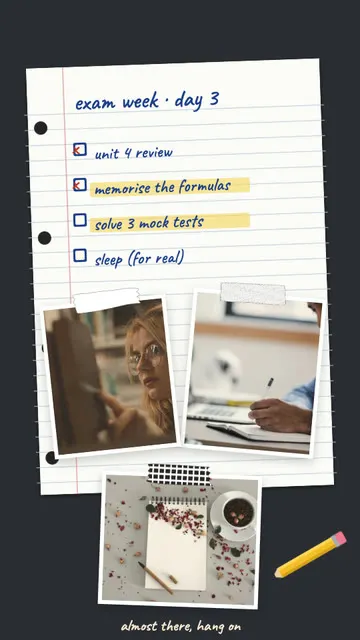 Study Mode · Exam Week 3 photos
 Study Mode · Study With Me 4 photos
 November Mood · Editorial 7 photos
Allapulla
Pick your photos and get Instagram story templates that fit them. New designs every week, hundreds of them free.
Add Yours Sticker on Instagram: How It Works + 60 Prompt Ideas for 2026
What the Add Yours sticker on Instagram is, how to start your own Add Yours chain, how to see who joined, and 60 Add Yours prompt ideas for photo dumps, friends, food, travel, the holidays and small businesses – with templates that leave room for the sticker.
Winter Instagram Story Ideas: 20 Cozy Ideas from First Snow to January (+80 Captions)
Winter Instagram Story ideas for every part of the season – first snow, the first day of winter on December 21, cozy nights in, winter games and January – with 20 ideas, a mood table, 80 short winter captions and free and animated winter templates.
Christmas Instagram Story Ideas: a Countdown from December 1 to 25 (+60 Captions)
Christmas Instagram Story ideas for every week of December – countdown Stories, the tree, the wish list, Christmas Eve and Christmas morning – with 15 ideas, 6 Story games, 60 short captions and Christmas Countdown templates.