
2026 Year in Review Instagram Story: 12 Months, 12 Photos (+ New Year Captions)
· 4 min read · Markdown
For a year in review story, pick one photo from each month and place the 12 photos in month order on one frame or across 2 frames, then add “2026” or a short caption. The fastest way to choose is to go through your gallery month by month and favourite the photo that best sums up each month. If 12 is too many, the year’s best 9, one per season (4) or just January and December (2) also work.
A year in review is one of the stories your followers watch most: everyone wants to see your year in 10 seconds. The hard part is picking the right 12 out of thousands of photos on your phone. This guide gives you the selection method first, then the layout, then the captions. For a handmade look try the scrapbook templates, and for a throwback year see 2016 vs 2026.
How many photos, which layout
| Photos | Layout | Best for |
|---|---|---|
| 12 | One per month; 2 frames (6 + 6) or a 3×4 grid | The classic year recap |
| 9 | 3×3, the year’s best 9 | People who don’t take many photos |
| 4 | One per season | Clean, minimal |
| 2 | January and December: start and end of the year | A before/after feel |
| 1 | The photo of the year + “2026” | The simplest |
Twelve photos on one frame get small; if you want to add text and dates, splitting them across 2 frames is easier to read.
1. Pick photos month by month
Type the month and year into your gallery’s search bar (“January 2026”, “February 2026”); both the iPhone Photos app and Google Photos search by date. Favourite one photo from each month. After 12 months, your favourites album is your year in review.
2. Mix people, places and details
Don’t put three selfies or three landscapes in a row. A good recap moves between people (friends, family), places (trips, your city) and details (a meal, a ticket, a book). Don’t let the same person appear in every photo.
3. If 12 don’t fit, split in two
Frame one is January–June, frame two is July–December. Use the same layout for both, so the stories read as one piece as they play back to back. For arranging several photos in one frame: multiple photos in one Instagram story.
4. Keep month labels small and short
Short labels like “jan · feb · mar · apr…” don’t compete with the photos. Don’t write long captions under each photo; in a year recap, the photos do the talking.
5. Add a “best of the year” frame
One frame with your most-played song, best meal, favourite place and best memory. This is the frame people reply to most; add a question sticker and ask “what’s yours?”.
6. Save the last frame for the new year
One line: “2027, I’m ready.” or just “2026 → 2027”. Ending with a wish makes it easier for people to watch your story to the last frame.
7. When to post
28–31 December is the busiest window. If you post on 1 January, pick a caption that fits: “what 2026 left me”. To keep photos sharp, use the originals: why is my Instagram story blurry.
Year in review captions
- thank you, 2026.
- 12 months, 12 photos.
- this was my year
- what 2026 left me
- glad it all happened
- the year, in no particular order
- january to december
- best 365 days (so far)
- few photos, many memories
- 2026: saved.
- taking these into the new year
- another year, same heart
Captions for every month: 120+ photo dump captions.
Short New Year messages
- Happy New Year!
- May 2027 be good to all of us.
- Here’s to a year full of smiles.
- Health, peace and lots of photos.
- New year, new page.
- This year was better with you. Happy New Year.
- 3, 2, 1… hello 2027!
- With the people you love, in good health.
How to make it in Allapulla
- Select your favourited photos; Allapulla only shows layouts made for that number of photos. Twelve photos fit in one Story too: use November · 12 Frames or November · Week by Week and change the month to “2026”. For fewer photos, the 2026 Recap templates: Four Seasons (4), Day by Day (6), Year Complete (1).
- Pick one of the monthly recap templates and write “2026” where the month name goes. Use the same template for both stories.
- Swap the caption for one from the list above.
- Save at 1080×1920 and share.
Frequently asked questions
Does Instagram have its own year in review tool?
In previous years Instagram offered its own year-end recap templates for Stories and Reels. Check the sticker and template menus on the story screen in December. Those templates give you a fixed layout; if you want to choose the photo count and look yourself, a year recap template is more flexible.
How many photos should a year in review story have?
The most common is 12, one per month. But 12 photos on one frame get small, so either split them across 2 frames (6 + 6) or pick the year’s best 9. If you didn’t take many photos, one per season (4) or just the first and last photo of the year look good too.
Should a year recap be a story or a Reel?
Either works. A Reel reaches more people but needs music and editing; a story takes a few minutes and is seen by your close circle. Many people post a story first and then make a Reel from the same photos.
When should I post my year in review story?
Most people post between 28 and 31 December. Posting on New Year’s Day is common too; a caption like “what 2026 left me” works well then.
What if my photos look blurry in the story?
Old photos in a year recap often come from WhatsApp or screenshots and are small. Pick the original photo on your phone and export the story at 1080×1920. The full checklist is in our blurry story guide.
Are Allapulla’s monthly recap templates free?
Most Monthly Recap templates are Pro (marked with a crown); each unlocks for 24 hours with one short ad, or all of them with Allapulla Pro. Some are free. The templates take 2 to 6 photos; split 12 photos across two stories as 6 + 6.
Monthly Recap Instagram story templates
 Rating My Month · Month Picker 3 photos
 Rating My Month · Best Of 5 photos
 Rating My Month · Review 4 photos
 Rating My Month · 10/10 8 photos
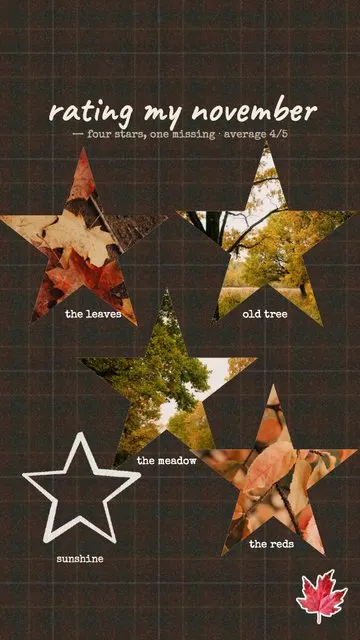 Rating My Month · Four Stars 4 photos
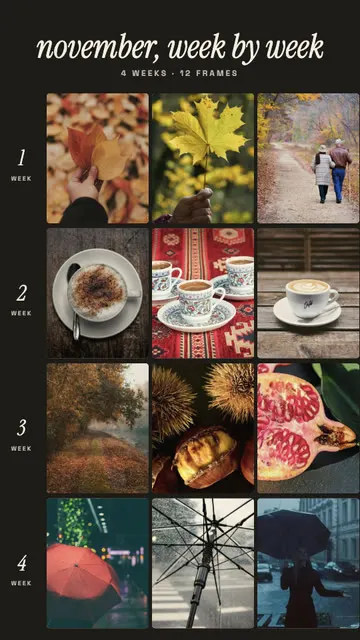 November · Week by Week 12 photos
Allapulla
Pick your photos and get Instagram story templates that fit them. New designs every week, hundreds of them free.
Add Yours Sticker on Instagram: How It Works + 60 Prompt Ideas for 2026
What the Add Yours sticker on Instagram is, how to start your own Add Yours chain, how to see who joined, and 60 Add Yours prompt ideas for photo dumps, friends, food, travel, the holidays and small businesses – with templates that leave room for the sticker.
Winter Instagram Story Ideas: 20 Cozy Ideas from First Snow to January (+80 Captions)
Winter Instagram Story ideas for every part of the season – first snow, the first day of winter on December 21, cozy nights in, winter games and January – with 20 ideas, a mood table, 80 short winter captions and free and animated winter templates.
Christmas Instagram Story Ideas: a Countdown from December 1 to 25 (+60 Captions)
Christmas Instagram Story ideas for every week of December – countdown Stories, the tree, the wish list, Christmas Eve and Christmas morning – with 15 ideas, 6 Story games, 60 short captions and Christmas Countdown templates.